CueCue Explained: What It Is, How It Works, and Who Should Use It


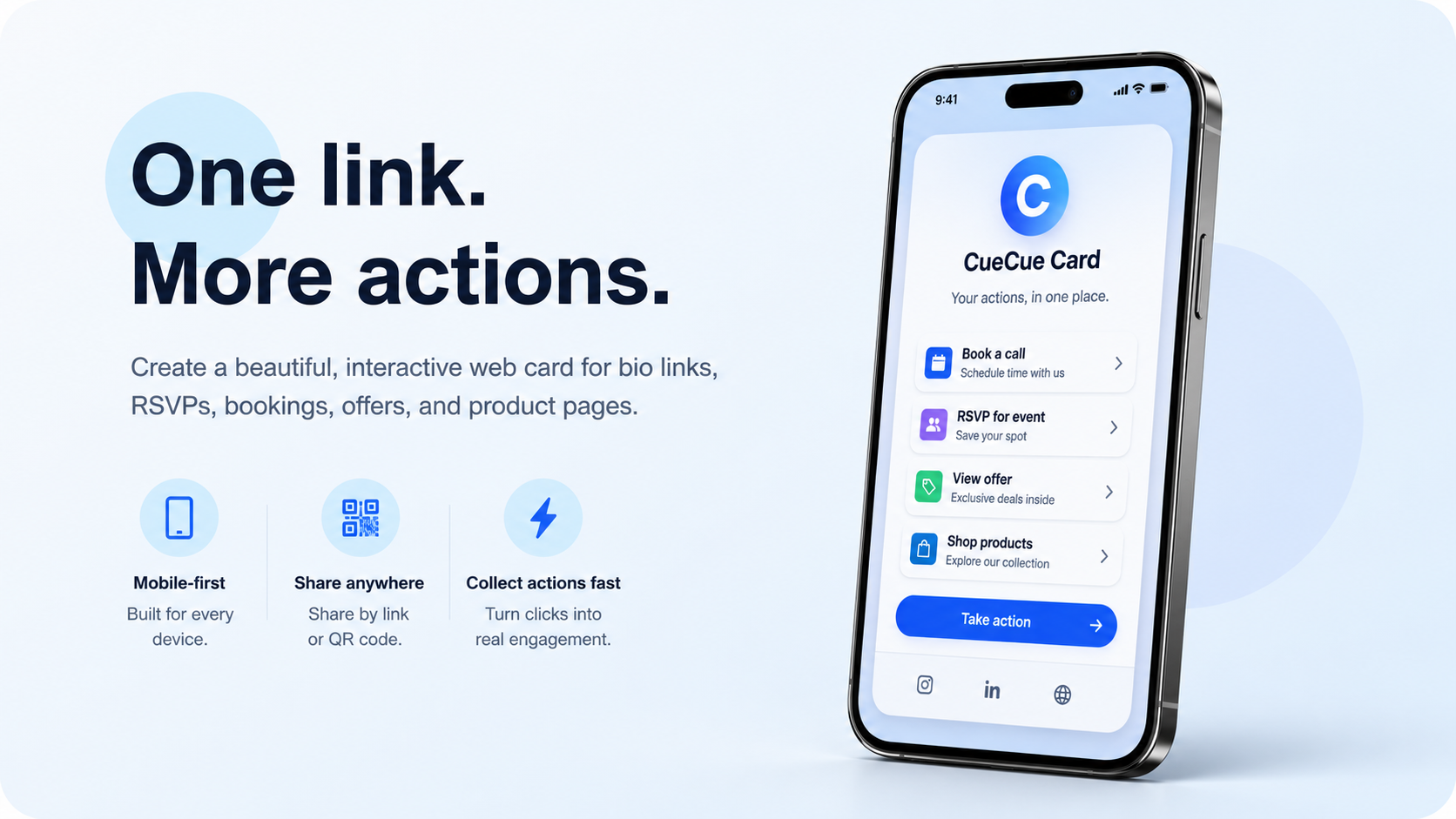
A bio link should not just list links. It should help visitors book, RSVP, inquire, buy, or contact you. CueCue helps creators, professionals, small businesses, and event hosts turn one link into an interactive web card built around action.
Most people do not need a full website every time they want to share something online. A freelancer may need a contact page with a booking link. A creator may need one bio link for content, products, and social profiles. An event host may need one page where guests can see details and RSVP.
That is where CueCue comes in. CueCue is an interactive web card creator built for focused online sharing. Instead of sending people to a long website, a flat link list, or separate forms, CueCue helps users create one mobile-first card that introduces the offer, collects responses, and guides visitors toward a clear next step.
Key Takeaways: CueCue turns one shareable link into an interactive web card. It can be used as a digital business card, link in bio page, RSVP card, event page, service offer card, or product landing page. It is useful for creators, professionals, small businesses, event hosts, and teams that need a simple public-facing destination without building a full website.
What is CueCue?
CueCue is a self-serve tool for creating interactive web cards. A web card is a focused mobile-friendly page designed around one action, such as connecting, booking, joining, buying, following, or submitting information.
This makes CueCue different from a traditional homepage. A homepage often needs navigation, multiple pages, menus, and a broader brand story. A CueCue card is narrower by design. It gives people the information they need and then points them to the next step.
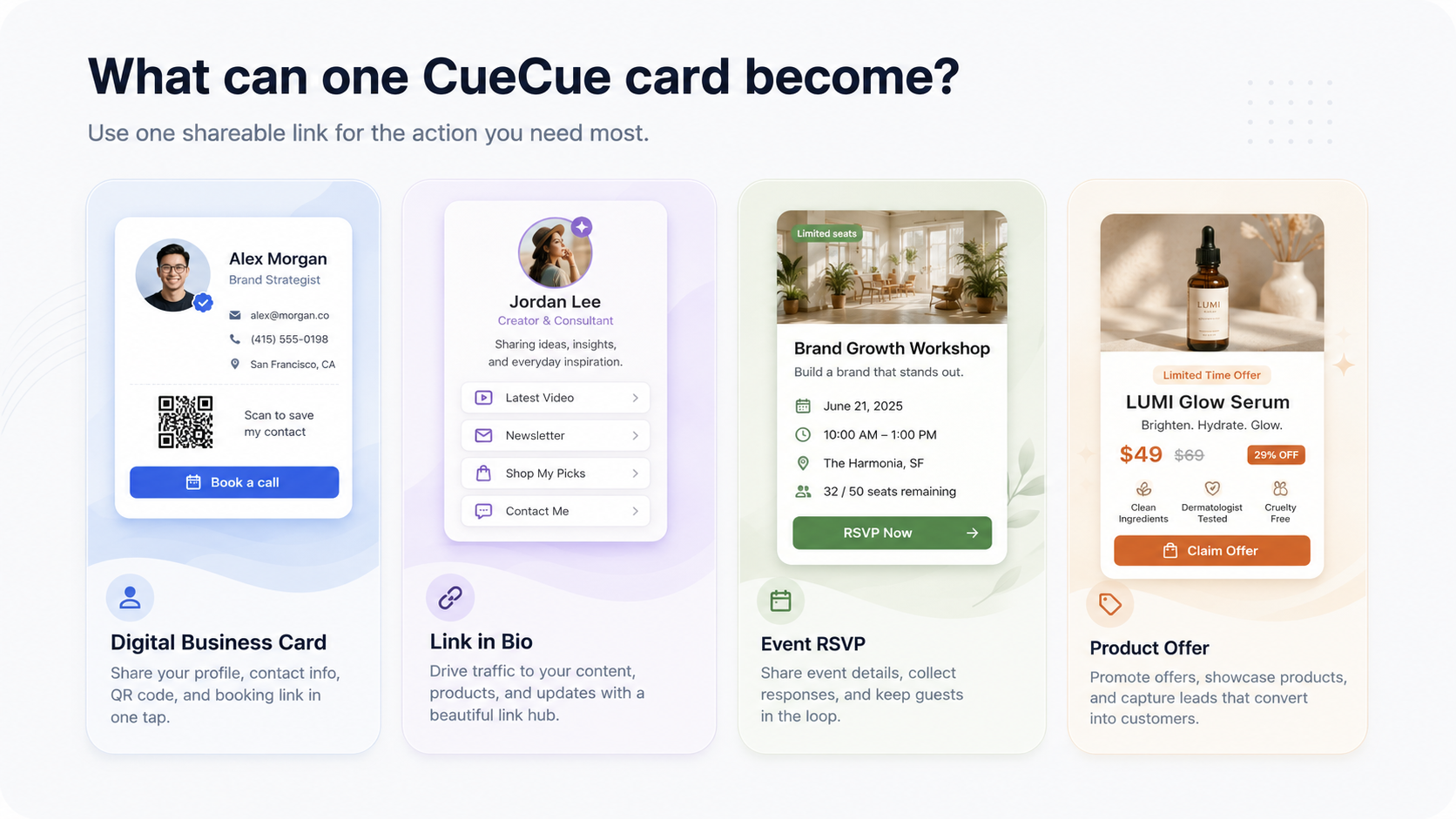
A card can work as a digital business card, link in bio page, compact landing page, event RSVP link, invitation page, product announcement, service menu, or local offer page.
How does CueCue work?
The basic workflow is simple. Start with the type of card you want to create, add the content and modules that fit the goal, publish the card, and share the link or QR code.
For example, a creator might add videos, social links, a newsletter signup, and a product link to one bio card. A workshop host might add the date, location, ticket details, and RSVP form. A consultant might add services, testimonials, booking options, and contact information.
Because the card is shared as a single link, it can be used in social profiles, direct messages, email signatures, printed QR codes, event flyers, and local campaigns. If details change later, the card can be updated while the shared link stays the same.
What can you create with CueCue?
CueCue is useful when one online destination needs to do more than display links. Common projects include:
- Digital business cards for networking, professional follow-up, QR code sharing, and contact collection.
- Link in bio pages for creators, influencers, coaches, newsletters, drops, videos, and social links.
- Event RSVP cards for workshops, dinners, launches, parties, meetups, weddings, and local pop-ups.
- Service offer cards for beauty studios, consultants, coaches, agencies, freelancers, and local providers.
- Product landing pages for small launches, beta tests, product drops, waitlists, and campaign pages.
- Client intake cards for collecting names, contact details, preferences, requests, or booking information.
Who should use CueCue?
CueCue is especially useful for people and teams that need a polished page quickly but do not want to build a full website. Creators can use it to make a bio link feel more like a real destination. Small businesses can share services, offers, menus, booking details, and inquiry forms. Event hosts can centralize event information and collect RSVPs. Product teams can publish lightweight pages for experiments and launches.
It is also useful for offline-to-online sharing. A QR code on a poster, business card, packaging insert, salon counter, or event sign can lead directly to a CueCue card.
How is CueCue different from a website or a simple link list?
CueCue sits between a full website builder and a basic link list.
A full website is powerful, but it can be too much for one campaign, event, offer, or professional profile. It usually requires more setup and maintenance.
A simple link list is fast, but it often gives visitors too little context. People see a stack of buttons, but they may not know which link matters most or why they should click.
CueCue gives users a lighter option. It keeps the speed of one link while adding the structure of a focused landing page. Users can combine text, links, visuals, forms, maps, offers, products, bookings, and calls to action in one card.
How CueCue fits into privacy-friendly online workflows
When people test new online tools, they often sign up for design platforms, AI tools, marketing services, launch directories, analytics products, and website builders before deciding what to use. Using a temporary email can make that testing process easier by protecting the main inbox, reducing spam, and keeping early experiments separate from long-term accounts.
That workflow connects naturally with CueCue. You might use a temporary inbox while testing tools, validating an idea, or exploring different marketing channels. Once the idea is ready to share publicly, CueCue can become the public-facing destination where people see the offer, event, product, or profile and take action.
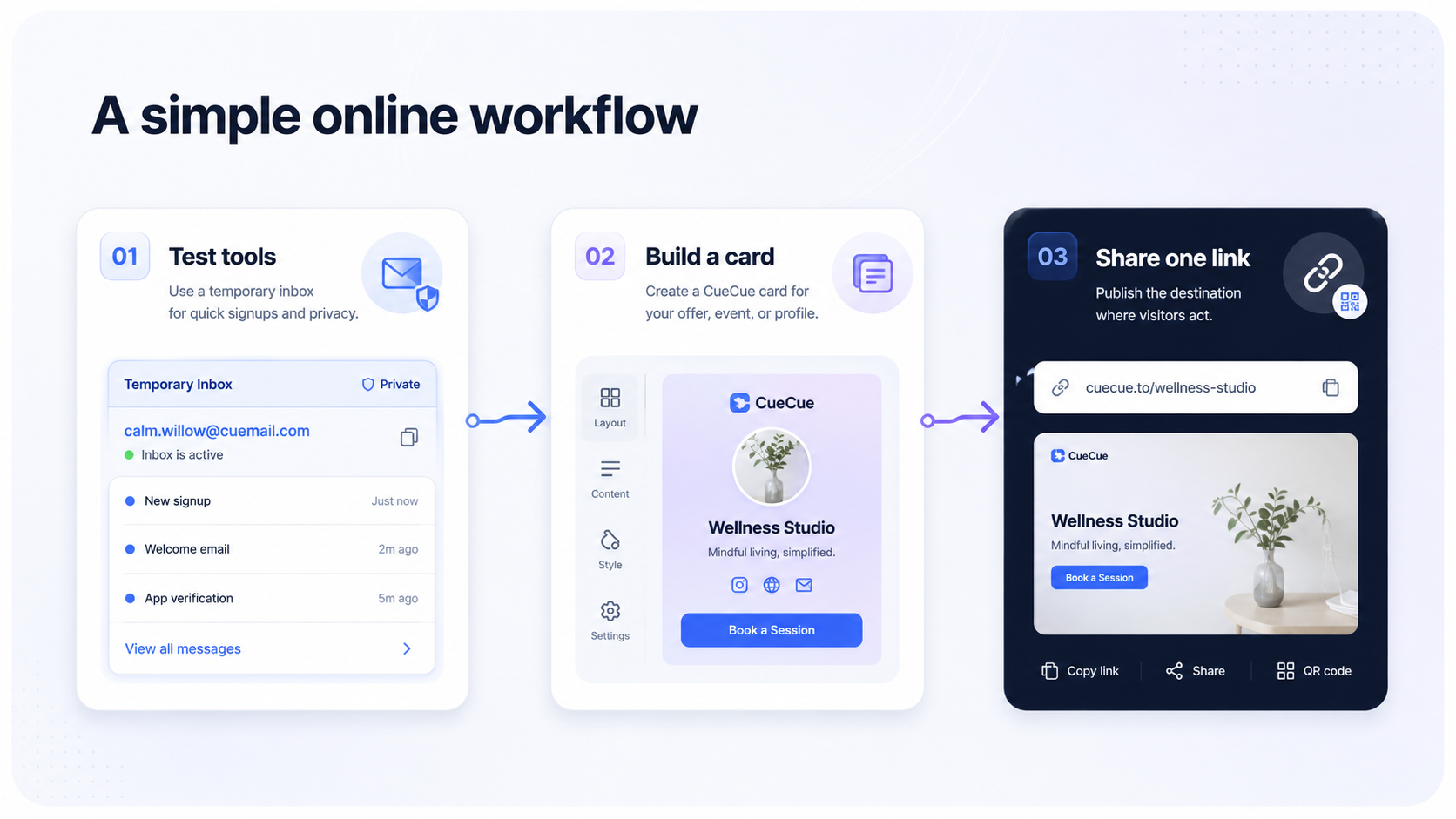
In other words, privacy-friendly tools support the backstage part of online work, while CueCue supports the public-facing destination where visitors can take action.
CueCue FAQ
Is CueCue a website builder?
CueCue is not a traditional multi-page website builder. It is an interactive web card creator for focused pages such as bio links, business cards, RSVP cards, offers, and compact landing pages.
Can CueCue be used as a link in bio tool?
Yes. CueCue can be used as a link in bio page with more context than a simple list of buttons. Users can add featured content, products, forms, event details, videos, and calls to action.
Can CueCue collect RSVPs or inquiries?
Yes. CueCue cards can be used to collect event responses, booking requests, client intake details, inquiries, and other action-based submissions depending on the card setup.
Do visitors need an account to open a CueCue card?
No. A published CueCue card opens like a normal web page from a link or QR code.
When should someone use CueCue instead of a full website?
Use CueCue when the goal is focused: sharing a profile, collecting RSVPs, promoting one offer, launching a product, collecting leads, or helping visitors take one next step.
Final thoughts
The way people share information online has changed. Not every campaign, creator profile, professional page, event, or business offer needs a complete website. Often, the better solution is one focused page that works well on mobile and helps visitors act immediately.
CueCue is built for that need. It turns one link into an interactive web card for profiles, bio links, RSVPs, events, products, services, and offers. It makes it easier to publish a clean destination, share it anywhere, and update it as the next action changes.
To learn more, visit CueCue.